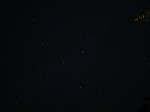
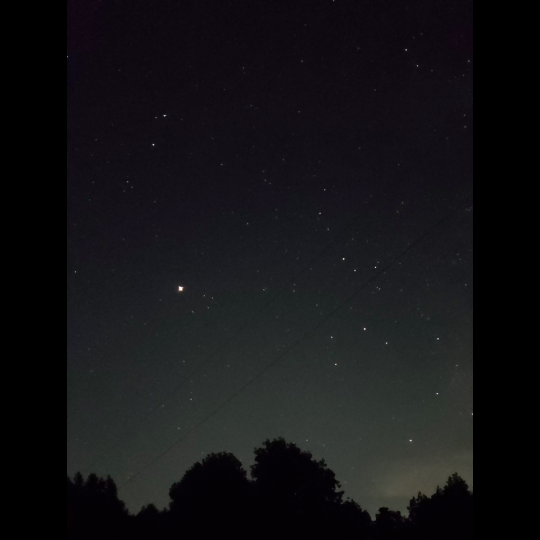
im very grateful for the lessons in photography i was taught in stop motion class because just now they made it possible to photograph the stars with my phone in spite of the camera usually not detecting the light of stars because theyre so dim,,,, enjoy these shiny motherfuckers
ok so if everythings normal, your phone camera should have a manual mode (sometimes called pro mode). in it, change the settings of the shutter lag to 20 seconds, then put the phone down on some stable, plane surface and press the photo button (usually when using your camera, the volume buttons can be used as photo button) and let the phone still for the whole 20 seconds.
(basically the problem with most cameras is that they dont have a very good light sensitivity in the dark, however that doesnt mean they cant detect it at all. the longer the shutter is open, the more light your camera takes in and the more burnt/light your pic will be, so in (literally) dark situations, make the shutter lag longer to get all that light you need! also i said 20 seconds but really you can make it shorter or longer depending on what kinda stuff you want for your stars)
Yes this!
Additionally, adjust your ISO to the highest number (mimics the film used for very low light and low speed images)
And set your shutter speed to the longest time possible (on my phone it’s 10 seconds).
Leave your focus settings on Auto, and if your phone camera has a timer option, turn that on (five seconds is generally enough).
Plan your shot first, then find a place to set your phone down so you can get the image you want. The less light pollution, the better; you’ll pick up FAR more stars in your picture.
Once you know what you want to shoot, tap your screen to “focus” it, then hit the button to take the picture, set your phone down, and back away from the “tripod”. Don’t touch your phone for a good 15 seconds, just to be sure.
You will not be disappointed in the results, let me assure you.
We have released over a million images onto Flickr Commons for anyone to use, remix and repurpose. These images were taken from the pages of 17th, 18th and 19th century books digitised by Microsoft who then generously gifted the scanned images to us, allowing us to release them back into the Public Domain. The images themselves cover a startling mix of subjects: There are maps, geological diagrams, beautiful illustrations, comical satire, illuminated and decorative letters, colourful illustrations, landscapes, wall-paintings and so much more that even we are not aware of.
Okay but to clarify, the British Library did not put 1,000,000 Images into the Public Domain. The British Library digitized 1,000,000 public domain images.
These images were already public domain. Copyright expires 70 years after the death of the author. Once copyright expires, the creative work automatically becomes public domain, free to remix and reuse.
The British Library did not grant us the right to use these images. It made images we already had the right to use more easily accessible.
apparently ppl don’t know about waifu2x??? despite its… concerning name it’s literally the most convenient website i’ve ever come across as an artist
it allows you to resize artwork without it becoming pixellated. this is a MASSIVE help if you, for example, make lineart too small or something. it works best with things that 1. have no textures 2. have smooth lines 3. have cel shading, but it still works really damn well for things that don’t fit that profile
here’s an example:
normal size
2x in paint
2x in waifu2x
so like, there’s that. go wild
Original:
Photoshop scaled:
Waifu2x scaled:
It’s legit!! Tell your friends!
waifu2x-multi is the newer version. It allows for rescaling multiple pictures at a time and to scale them up to 10x the original size.















 bongdanceking